 Vocory
Turn any PDF into flashcards.
Upload lecture slides, a PDF or a PowerPoint and Vocory writes the flashcards for you, then brings each card back right before you'd forget it.
- 1Upload your PDF
Slides, a textbook chapter, PowerPoint or Word: a few pages or a whole chapter.
- 2Get your cards
Vocory picks the key terms and ideas and writes a front and back for each.
- 3Review them
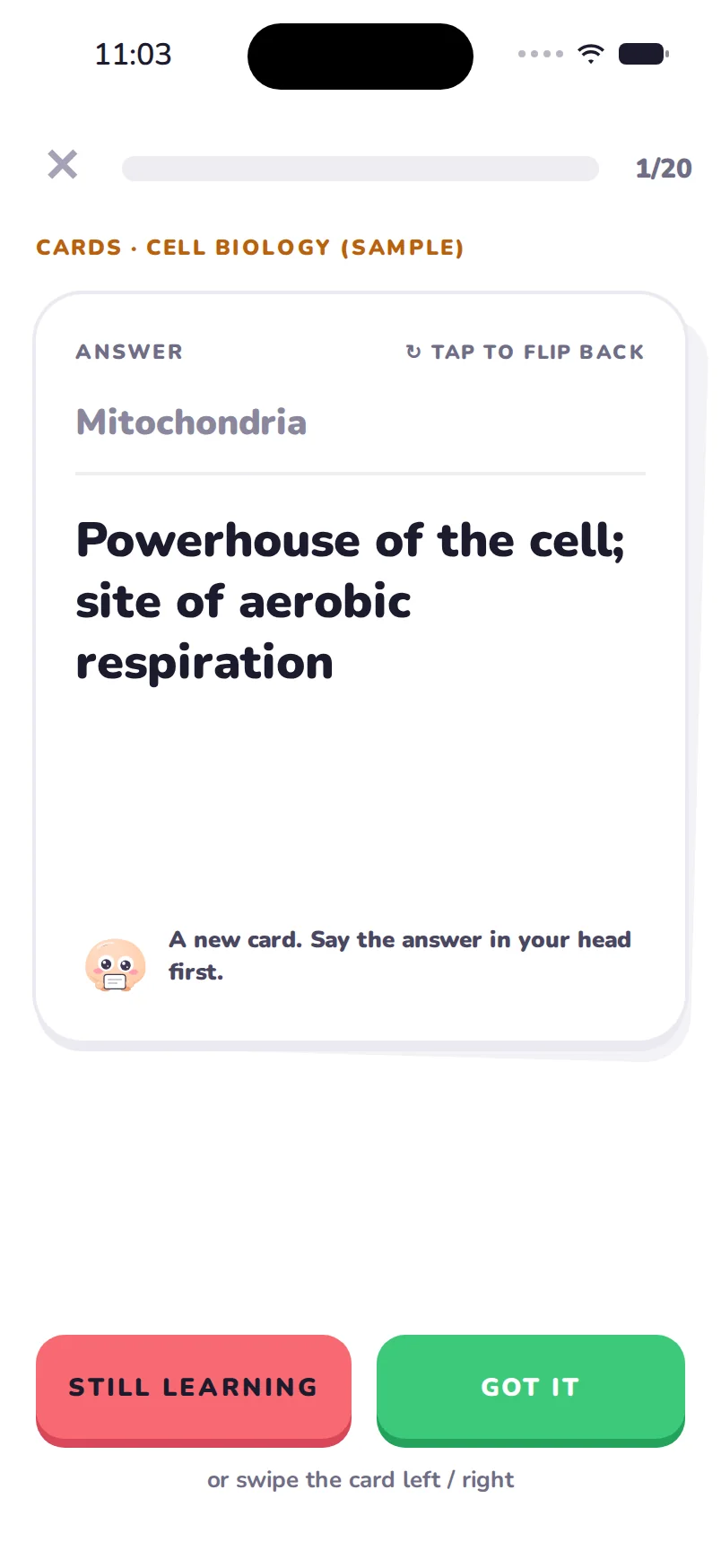
Swipe “Got it” or “Still learning”; hard cards come back sooner.
Why flashcards from your own PDF work better
Flashcards someone else made skip what your teacher stressed and include things your exam won't ask. Cards made from your own lecture slides or PDF cover exactly your course, in your teacher's words, and each card links back to the slide it came from, so when an answer surprises you, you can see where it was taught.
Making them by hand is the slow part. A 40-slide lecture can easily hold 40 to 60 cards, and typing them takes longer than studying them. Vocory reads the whole file and writes the cards for you: key terms, definitions, processes, dates and formulas, each with a short front and a clear back.
How Vocory turns a PDF into flashcards
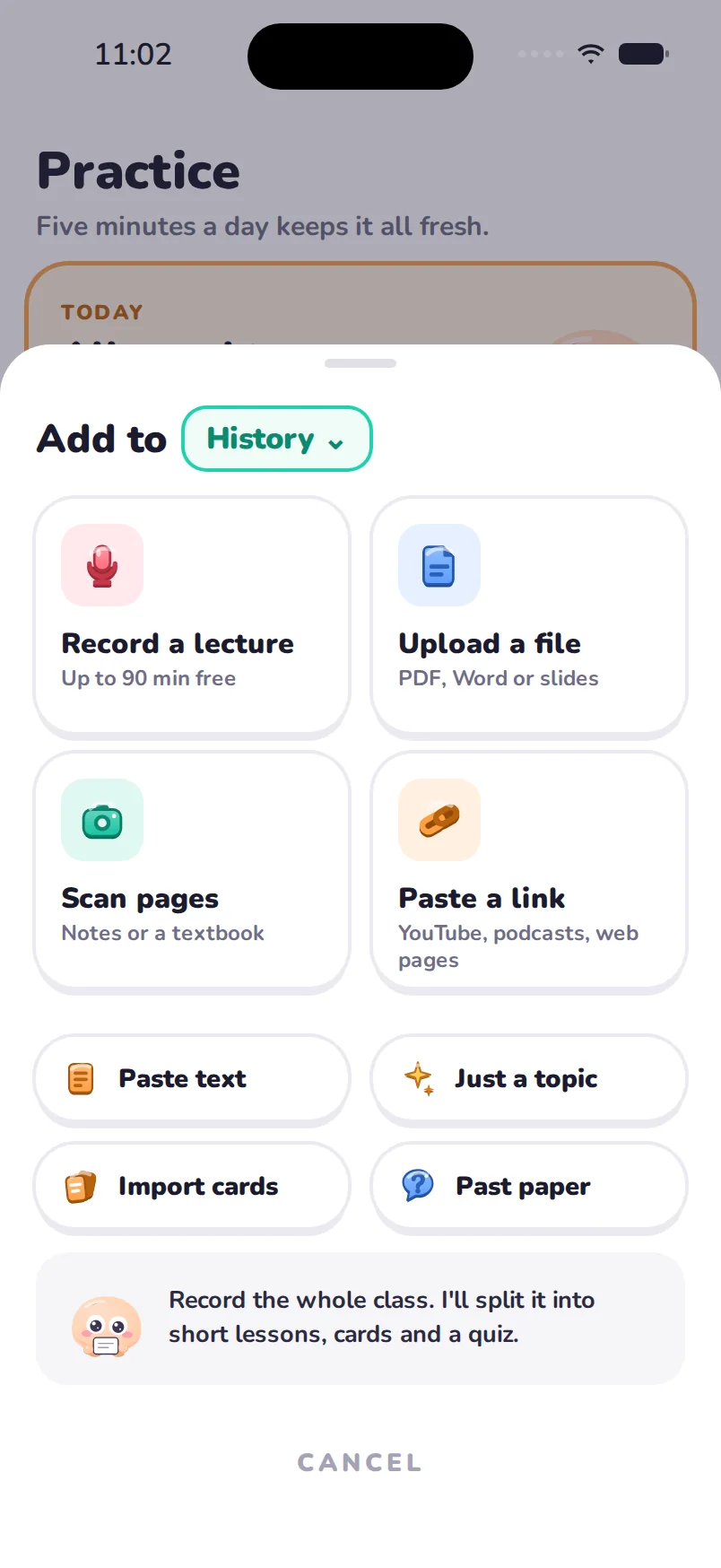
- Upload the file. PDF, PowerPoint (.pptx), Word (.docx) or a text file. You can also share a file to Vocory from Files, Mail, Safari or Google Drive.
- Vocory reads every page, including slides that are mostly diagrams with short labels, and picks out what is worth remembering.
- You get a deck named after the lecture and saved to the class it belongs to. Edit any card, delete the ones you don't need, or swap front and back.
- Review with spaced repetition. Swipe “Got it” or “Still learning”. Cards you know come back after a few days, then a week, then longer; the hard ones come back the same day.

Your first 3 lectures are free, with no account needed.
More than a deck
The same PDF also becomes a path of 3-minute lessons and practice questions, so you can learn the material before you drill it and test yourself when you think you know it. Your exam-ready score for the class goes up as you get cards and questions right, and shows which chapter needs work.
What kind of PDFs work best
- Lecture slides exported as PDF or PowerPoint: the most common use.
- Textbook chapters and readings: a few pages or a whole chapter.
- Your own notes, typed or handwritten (scan the pages with your camera).
- Study guides from your teacher, and past papers (those also shape your mock exams).
Scanned PDFs work too; very low-quality scans may miss words. Vocory works in 70+ languages, including lectures that mix two.
PDF to flashcards on your phone
Vocory is an app for iPhone, iPad and Mac, so your cards are in your pocket for the five minutes before a lecture, on the bus, or the night before the exam. Your first 3 lectures are free with everything, with no account and no card.
Questions
Is it free?
Yes, to start. Your first 3 lectures come with everything: lessons, flashcards and practice tests.
Does it work with PowerPoint and Word?
Yes: PDF, PowerPoint (.pptx), Word (.docx), text files and photos of pages or handwritten notes.
How many cards does it make?
It depends on the material: Vocory makes a card for each key term, definition, process or fact worth remembering.
Can I edit the flashcards?
Yes. Edit, delete or add cards, and swap the front and back.
Can I import my Quizlet sets?
Yes. Imported sets join the same spaced-repetition review.
Which languages?
70+, including lectures that mix two languages.
Try it on your own notes.
Free to start on iPhone, iPad and Mac. No account needed.