 Vocory
AI notes from your lecture, then something to study.
Record the class or upload the slides. Vocory writes clear notes and turns them into 3-minute lessons, flashcards and a practice quiz.
- 1Record or upload
Record the lecture, upload the slides, or paste a YouTube link.
- 2Get your notes
Organised by idea, with the key terms highlighted.
- 3Study them
Lessons, flashcards and practice questions from the same lecture.
From a lecture recording to notes you can study
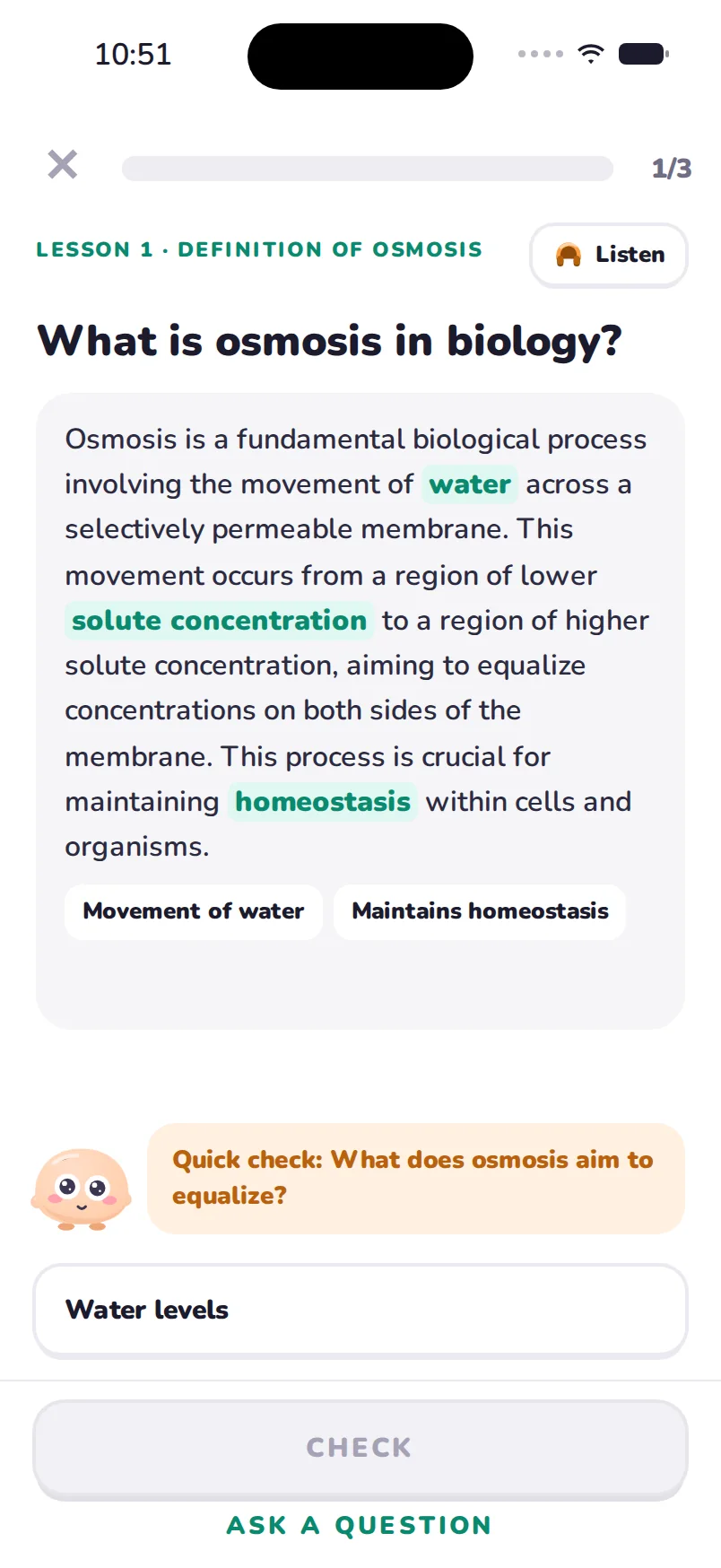
Notes are only the first step. Vocory listens to the recording of your lecture (or reads the slides), writes clear notes, and then turns them into 3-minute lessons, flashcards and a practice quiz, so you don't just have a transcript, you have something to study.
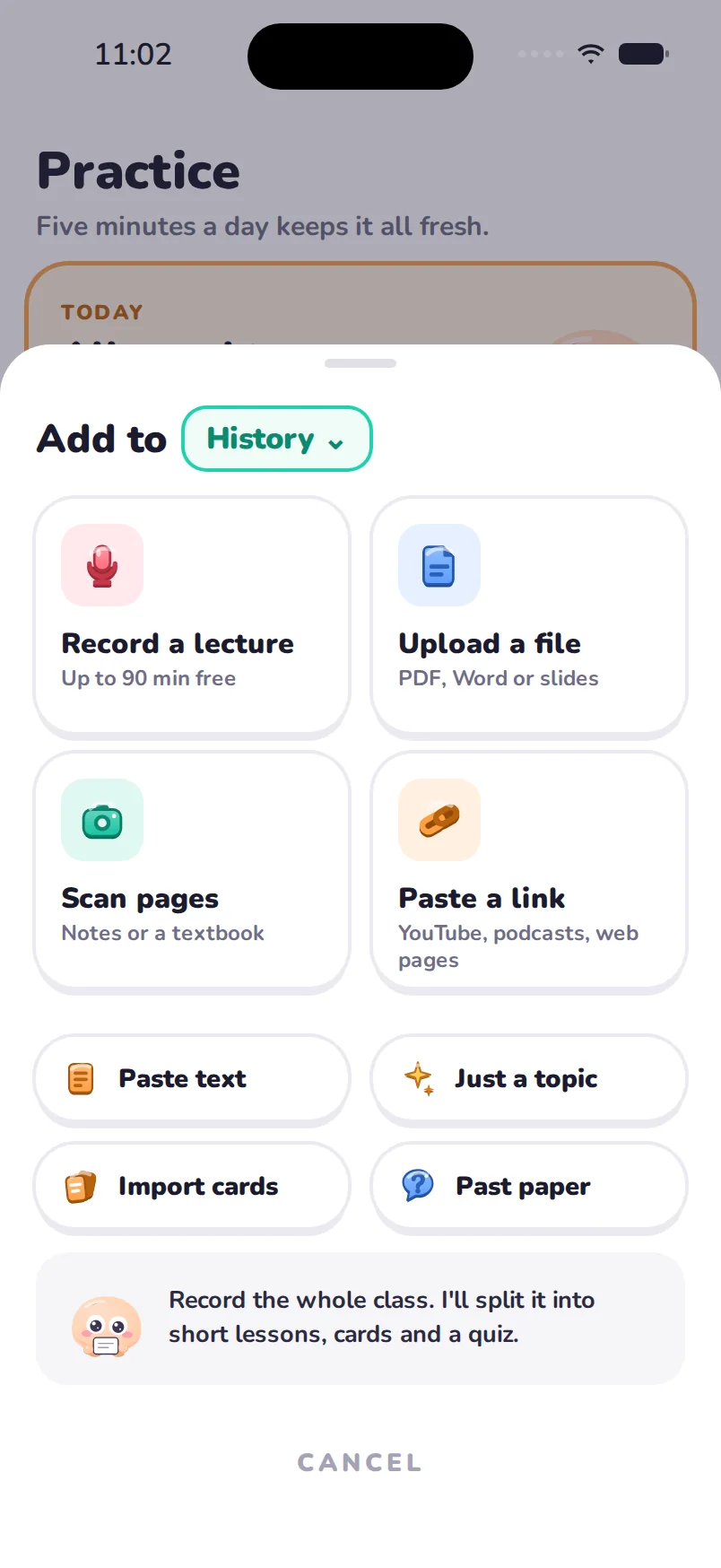
Three ways to add a lecture
- Record the class in the app. Your first recording can be up to 90 minutes on the free plan, and Pro records up to 4 hours. The audio is deleted after it's transcribed.
- Upload the slides as a PDF or PowerPoint, or both slides and recording for the same lecture.
- Paste a link to a recorded lecture on YouTube.

Your first 3 lectures are free, with no account needed.
What you get
- Notes organised by idea, not by minute, with the key terms highlighted.
- A lesson path through the lecture, one idea per lesson, each with a quick check.
- Flashcards for the terms and facts worth remembering, on spaced repetition.
- Practice questions and, across lectures, mock exams on a real clock.
Is it allowed to record lectures?
It depends on your school. Many universities allow recording for personal study, some require the lecturer's permission, and some don't allow it at all. Check your school's policy or ask your lecturer first, and keep recordings for your own study.
Lectures in other languages
Vocory understands 70+ languages, including lectures that switch between two, and can write your notes and lessons in the language you choose.
Questions
How long can a recording be?
Your first recording can be up to 90 minutes on the free plan; Pro records up to 4 hours.
Is my audio kept?
No. Audio is deleted after it's transcribed.
Can I add slides and a recording for the same lecture?
Yes. Vocory uses both to write the notes and lessons.
Does it work for lectures in other languages?
Yes, 70+ languages, including lectures that switch between two.
Am I allowed to record my lectures?
It depends on your school's policy. Check it or ask your lecturer first.
Try it on your own notes.
Free to start on iPhone, iPad and Mac. No account needed.